M3U to Xtream Codes Converter Online – Free Two-Way Tool
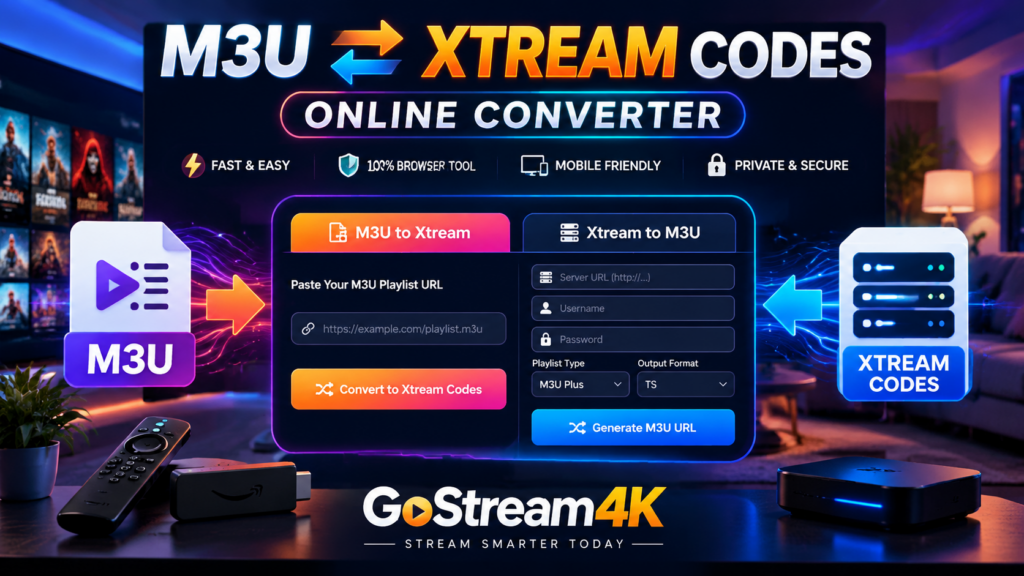
The M3U to Xtream Codes Converter on GoStream4K helps you extract supported login details from an M3U playlist URL. You can also create an M3U playlist URL from existing Xtream Codes credentials. Use our two-way converter to format supported information and learn how to troubleshoot common streaming setup problems.
M3U ↔ XTREAM CODES
Two-Way Playlist Conversion
Simple Setup · Mobile Friendly · Browser-Based Processing
M3U to Xtream Codes Converter
Paste your complete M3U playlist URL. If it contains a recognisable server address, username and password, the tool can extract those details.
This tool processes information in your browser. It does not contact the remote server, validate a subscription or activate an account. Use only authorised credentials.
What Is an M3U to Xtream Codes Converter?
An M3U playlist is a text-based file or URL containing references to media streams. Depending on the source, it may also contain channel names, group information and other metadata. Compatible streaming applications can use these playlists to organise available streams.
Xtream Codes login usually uses three fields: a server URL, username and password. Some applications accept these details separately, while others allow users to import an M3U playlist. The M3U to Xtream Codes Converter looks for supported login parameters and displays them separately when they are present.
Not every M3U playlist contains Xtream credentials. Some use temporary tokens, custom authentication or direct stream links. A converter cannot recover information that is missing from the source, create an account or grant access to additional content.
How to Use the M3U to Xtream Codes Converter
- Obtain your complete M3U playlist URL from your authorised provider.
- Select the M3U to Xtream tab above.
- Paste the entire URL into the input field.
- Click Convert to Xtream Codes.
- Review the extracted server address, username and password.
- Copy the details into a compatible streaming application.
The tool recognises common URL parameters such as username and password. If either value is missing, extraction may fail. The displayed details come from the URL structure and have not been verified against the remote service.
Xtream Codes to M3U Conversion Guide
If your provider supplies separate login credentials, you may be able to construct an M3U playlist URL using the endpoint supported by that provider.
- Open the Xtream to M3U tab.
- Enter the server URL, including the correct port.
- Enter your existing username and password.
- Choose the playlist type and output format.
- Click Generate M3U URL.
- Copy the generated address into a compatible player to test it.
The converter creates a commonly used get.php URL. Providers may use different endpoints or output settings, so the result is not guaranteed to work with every service.
M3U vs Xtream Codes: Conversion Comparison
| Feature | M3U Playlist | Xtream Codes |
|---|---|---|
| Format | Playlist URL or file | Server and login credentials |
| Typical setup | Import a playlist | Enter login fields |
| Conversion method | Extract supported URL parameters | Construct a compatible playlist URL |
| Compatibility | Depends on the application | Depends on the application and provider |
| Account activation | Not included | Not included |
| Security | Playlist URLs may contain passwords | Keep login details private |
Example of an M3U Playlist URL
A supported playlist URL may use a structure similar to this fictional example:
http://server.example:8080/get.php?username=YOUR_USERNAME&password=YOUR_PASSWORD&type=m3u_plus
This example is for educational purposes and is not a working subscription. Replace the placeholders only with details supplied by your authorised provider. Do not publish a complete playlist URL because it may contain sensitive credentials.
Common Conversion Problems and Solutions
Username or Password Not Found
The original URL may not contain these parameters. A basic converter cannot retrieve credentials that are absent from the source.
Invalid Server URL
Check the protocol, hostname and port. Enter the server address separately from the username and password.
Generated M3U URL Does Not Work
Your provider may use a custom endpoint or a different output format. Confirm the required settings with your provider. A correctly constructed URL is not necessarily a valid working playlist.
Buffering or Missing Streams
Conversion does not repair network congestion or restore unavailable streams. Check your connection, application compatibility, account status and provider service.
HTTP and HTTPS Differences
Use the protocol supported by your provider. Changing HTTPS to HTTP does not guarantee compatibility and can expose credentials over an unencrypted connection.
How to Keep Your Playlist Credentials Safe
M3U playlist URLs may contain usernames and passwords. Avoid sharing complete URLs in public forums, social media posts or screenshots. Prefer tools that process information locally and understand the privacy practices of any website where you enter sensitive details.
This converter performs URL parsing and generation in your browser. It does not send a request to validate your subscription. Other website scripts, browser extensions and hosting settings may have separate data-handling behaviour.
Frequently Asked Questions
Can every M3U URL be converted to Xtream Codes?
No. The source must contain recognisable credentials in a supported format. Some playlists use custom authentication and cannot be converted by this basic tool.
Can Xtream Codes be converted into an M3U URL?
Yes, if the provider supports a compatible M3U endpoint. The tool constructs a URL but does not verify whether it works.
Does the converter provide channels or activate a subscription?
No. It only reformats existing playlist information. It does not create accounts or provide content access.
Can I use this converter on my mobile phone?
Yes. The interface is responsive and designed for mobile and desktop browsers. Playback depends on the compatible application and provider.
Why does conversion sometimes fail?
The URL may use custom authentication, a different endpoint or an unsupported format. Check the original URL and ask your provider for the correct settings.
Final Thoughts
The M3U to Xtream Codes Converter on GoStream4K helps format supported playlist information for compatible streaming applications. Enter the correct server details, check endpoint requirements and protect your login information. Remember that changing a URL format does not activate a subscription or guarantee playback.
Visit GoStream4K for more streaming setup information. For device compatibility details, consult the official Amazon Fire TV documentation.
